AI Production Tool

Less scrubbing.
More storytelling.

enCue clips long form broadcasts into social ready content, assembles raw footage into a rough cut news package and sends every story out in the right version for each channel. Your editors start from an AI generated first pass instead of hours of footage.

Browser based. Cloud native. No new infrastructure to set up.

enCue · Clip finder
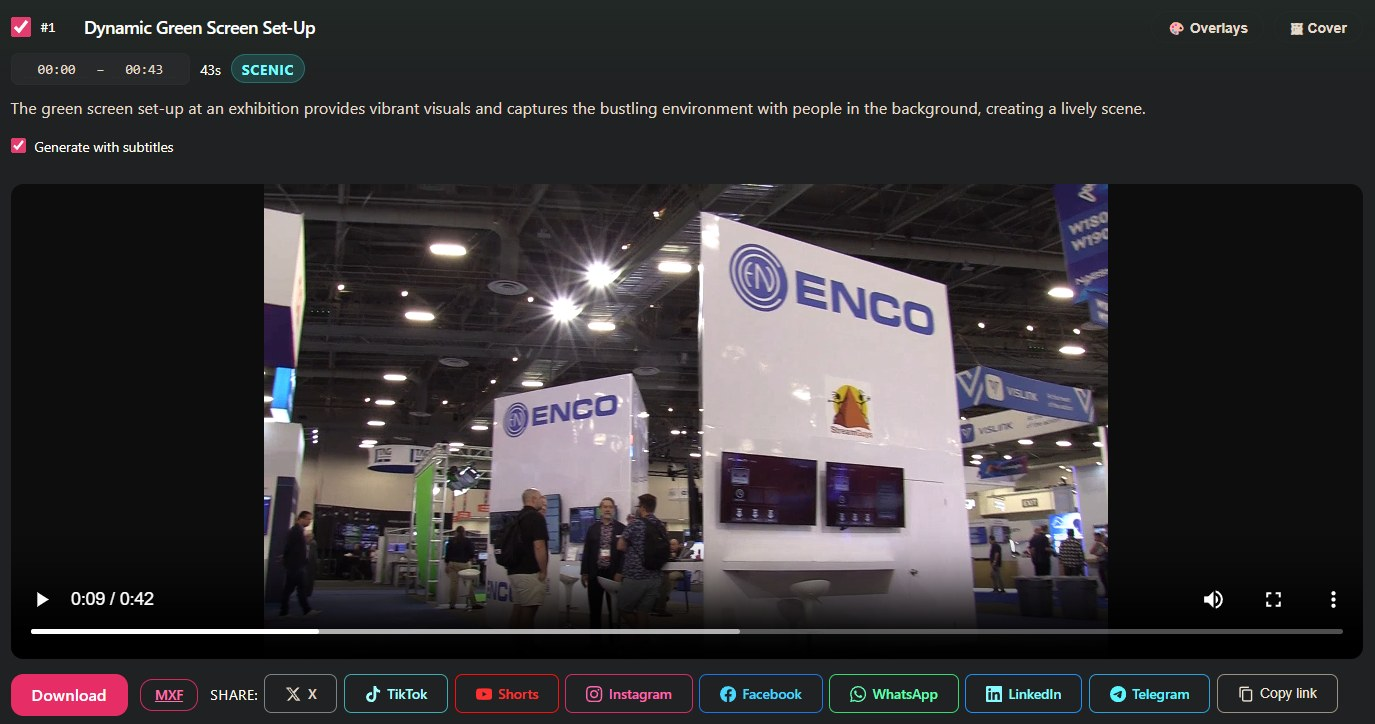
enCue Clip finder showing a 43 second clip it picked from booth footage, with Download, MXF export and one click sharing to X, TikTok, Shorts, Instagram, Facebook, WhatsApp, LinkedIn and Telegram

A real enCue result: clip picked, titled, described and categorized from 2:43 of raw booth footage.

Broadcasters generate more video than any team can repurpose by hand.

Going through raw footage for hours, looking for one usable shot. That is not where an editor's skill is. It is just where their time goes.

enCue takes the searching off their plate. It finds the clips worth keeping and matches footage to script automatically, so editors spend their hours on the storytelling, the pacing and the final cut that actually needs a person to make it.

One tool, two directions

Break one long program into many clips. Or cut one story from many sources.

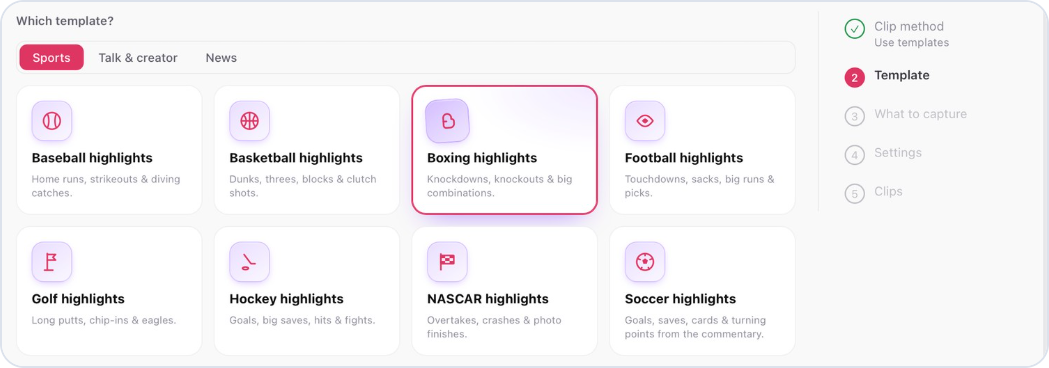
enCue Clip finder template picker: Sports templates for baseball, basketball, boxing, football, golf, hockey, NASCAR and soccer highlights, with Boxing selected
1 long programmany social clips

Clip finder

Feed in a podcast, an hour long newscast or a full match. Pick a genre template, then tell enCue what you want in plain words, like “find all the knockouts”. It pulls those moments and prepares individual clips or a highlight reel for social and digital.

  • Genre templates, like Sports and then Boxing, tune what counts as a highlight
  • Horizontal programming converted to vertical for social
  • Titles and captions generated for every clip
  • Optional 15 second teaser with audio per clip
  • Export MXF for playout, or share straight to X, TikTok, Shorts, Instagram, Facebook, WhatsApp, LinkedIn and Telegram
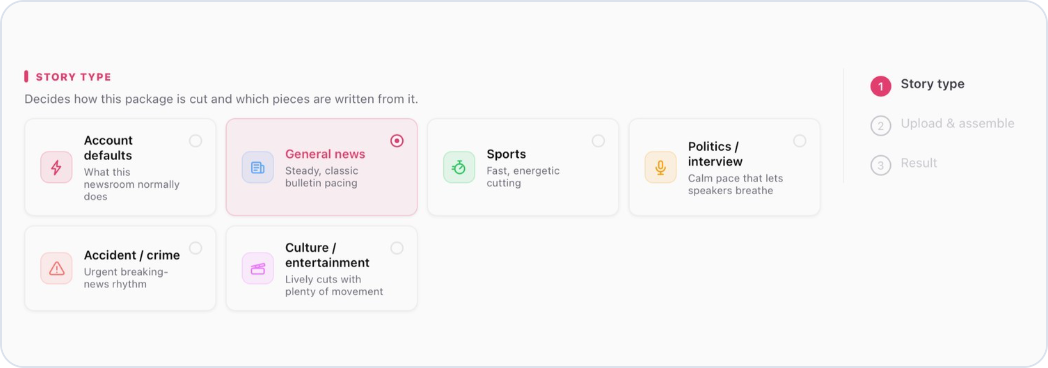
enCue News package setup: story types General news, Sports, Politics or interview, Accident or crime, and Culture or entertainment, each with its own pacing
script + raw footage1 rough cut

Automated news packages

Paste in a script with VO and SOT blocks and upload the raw footage. enCue matches footage to every VO line, finds every SOT by what the speaker actually said, and assembles a continuous package ready for review.

  • Interviews and location shots matched to the story
  • Every SOT found in the interviews by its words
  • Automatic image stabilization reduces shaky video and picks cleaner shots
  • Fine tune anything afterwards on a timeline editor in the browser

Script to package

Write the script. enCue finds every shot and every sound bite.

Use your normal VO and SOT format. enCue reads the SOT text and finds the exact moment someone said it in your raw footage.

VO #1

On the corner of Oak and Needham Street, a beam-raising ceremony celebrated the long-awaited construction of what will become a 23-acre mixed-use community known as ‘Pattern District’.

SOT #1

“It is more than just a building, or even two buildings. It really is a neighborhood that we’re creating.”

  1. 1
    VO lines get matching footage

    Location shots are picked to fit what the narration describes.

  2. 2
    SOTs are found by their words

    No scrubbing through the interview to find the quote.

  3. 3
    Shaky shots get stabilized

    Automatic image stabilization smooths handheld video and favors the cleaner takes.

  4. 4
    The editor reviews instead of cutting from scratch

    Open the package on a timeline in the browser and change anything you want.

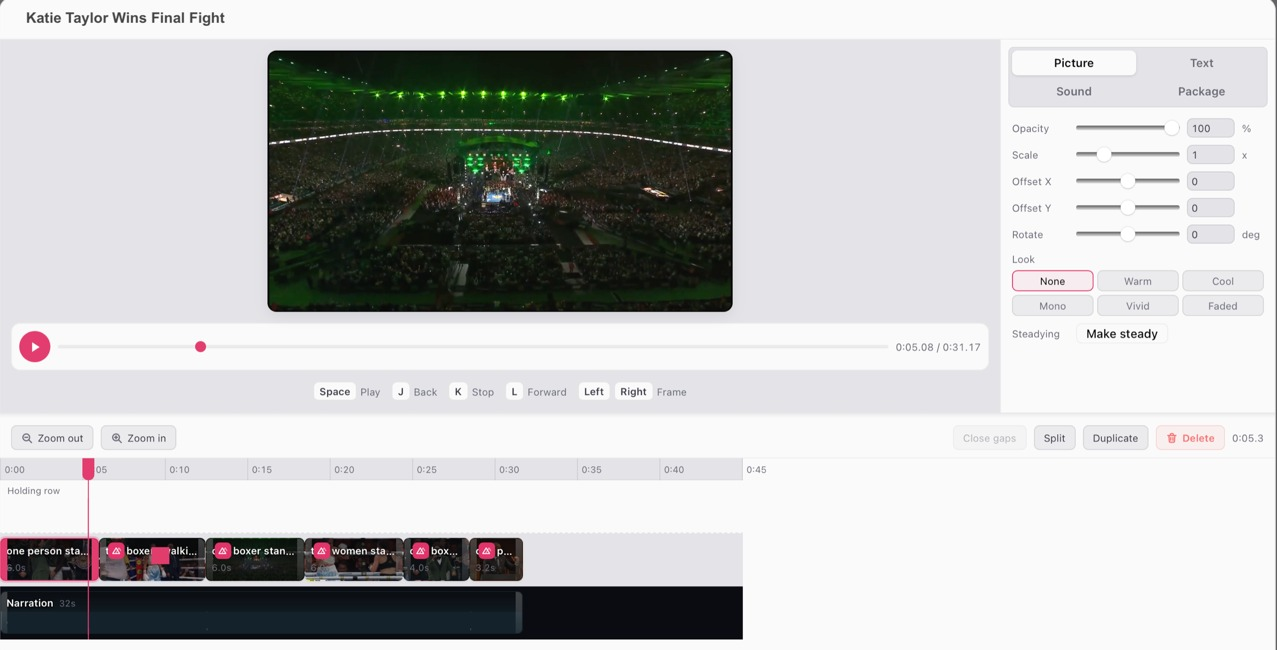
enCue news package editor for a boxing story: video preview, Picture settings with Look presets and a Make steady button, and a timeline with matched fight footage above a separate narration track
The enCue package editor: footage and narration on separate tracks, looks and one click steadying, all in the browser.
01

Upload in the browser

Long form programming, or a script with the raw footage from your shoot.

02

enCue does the first pass

It finds the moments worth keeping, or the shots that fit each line of the script, and cuts them together.

03

Your editor finishes it

Review the cut, adjust it on the timeline if you want, and publish. The judgment calls stay with people.

One story, every channel

Set it once. Every story arrives in every format.

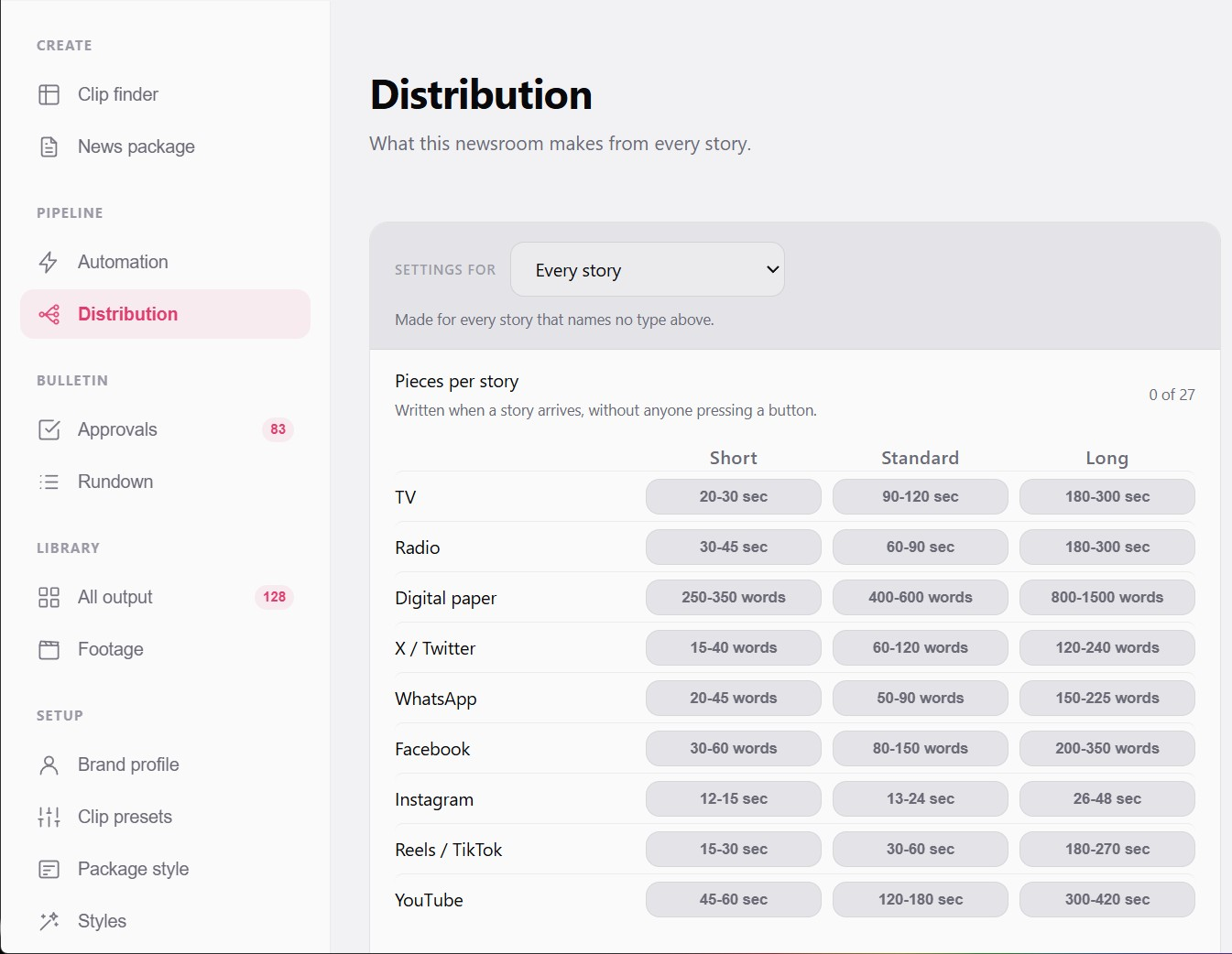
Tell enCue what your newsroom makes from each story. When a story comes in, it writes the pieces without anyone pressing a button.

  • TV and radio versions, short, standard or long
  • Web articles sized for your digital paper
  • Posts for X, WhatsApp and Facebook
  • Video for Instagram, Reels, TikTok and YouTube
enCue Distribution settings: a grid of TV, radio, digital paper, X, WhatsApp, Facebook, Instagram, Reels and TikTok, and YouTube, each with short, standard and long lengths
2m 39s

Typical run from footage drop to finished package, every deliverable included. Measured over 14 runs in ENCO testing.

Built for

Newsrooms

Turn a day of interviews and location shots into a rough cut package before the editor sits down.

Digital and social teams

Get vertical, captioned clips out of every newscast and podcast without scrubbing the full hour.

“AI Production Tools can remove repetitive work from broadcast workflows while allowing people to focus their time and expertise where it matters most.”

Ken Frommert, President, ENCO

ENCO AI Production Tools

enCue is part of a growing family built for audio and video.

Give your editors their hours back.

See Clip finder and automated news packages live with the ENCO team.

Book an enCue demo